How to Search Old Newspaper Archives Free
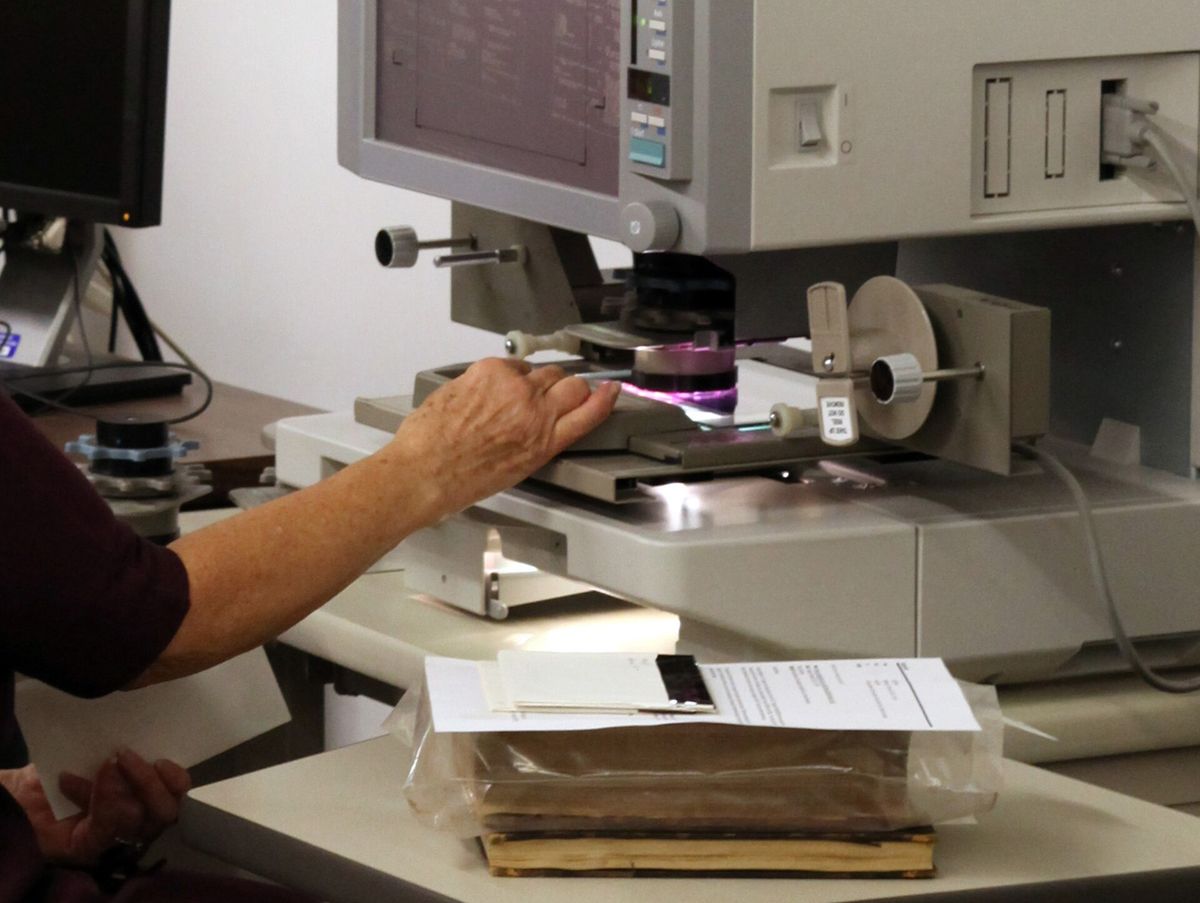
The free digital newspaper collections you can browse in a few clicks have a limit: they are scans of scans, often OCR-processed lines from microfilm or fragile paper prints.
In this guide
The free digital newspaper collections you can browse in a few clicks have a limit: they are scans of scans, often OCR-processed lines from microfilm or fragile paper prints. Chronicling America, which connects to the National Endowment for the Humanities-run National Digital Newspaper Program, aims to fill that gap with free access to scanned U.S. papers from 1789 to 1963. But the same OCR-techniques that open up millions of historical pages can also lead to inaccurate searches and missed entries on the same site. Knowing both the possibilities and the limits of free archives is the key to making the most of your search.
Start with the free national archive
Chronicling America is the starting point for access to U.S. newspapers published 1789 to 1963 that have been selected and digitized by the National Endowment for the Humanities (NEH). Chronicling America is a partnership between the National Endowment for the Humanities and the Library of Congress. Chronicling America is part of the LOC’s larger Newspaper and Current Periodical Reading Room, but the feature that bears its name dedicates itself only to historical daily and weekly papers, including papers in English, Spanish, and other languages. Chronicling America provides access to select digitized newspaper pages produced by the National Digital Newspaper Program (NDNP).
Search scanned pages like a scanner, not like a text index
The problem with using OCR and scanned pages—but one that archivists overwhelmingly prefer to overzealous "cleaning up" of text—is that the software does its best to read each character but will not detect errors like spelling, incorrect line shifts, or marks left over from age or wear. This problem is made especially difficult for newspapers because of the newspaper’s use of tight columns and mixed fonts that can affect OCR accuracy. You also have to think about where the light fell: for example, a broken edge or a tear would have cast a dark shadow on a light background, while a hole or fragment would have left the background exposed. Neither of these situations would be easily picked up by OCR software, which would have performed the same regardless.
When making a free search for any material in a historical newspaper database, you need to understand that the software doing the work, or the team of archivists and volunteers doing the labor, is working with flawed original material that it is trying to make as usable as possible in the given context and in digitized form. Your search, therefore, should not be a search of a full-text index, but rather a search of a scanned newspaper that needs you to approach it in the same way that you would approach a real copy of the archive.
Use advanced search to cut the haystack
The first step is to narrow your search so you don’t waste time with false positives. The Advanced Search feature in Chronicling America allows you to limit by multiple criteria, including: Location: Search by state, city, city and state, or partial city name Title: Search by whole or partial title of newspaper Language: Limit to one search language, when you know the article was almost certainly in a particular language Date: Limit by year, date range, or day of the week
Using these search tools as appropriate for your context will mark out the boundaries in which your search is happening, and will help you set realistic expectations about what you will find. For example, rather than searching through massive results for "D-Day", searching under the New York domain for that specific date will present you with a limited but highly relevant set of results.
Know when free won't be enough
Most mid-tier archive services are not entirely free—places like NewspaperArchive and Newspapers.com are paid services that also offer free trials. While free trials can work in a pinch and the free pages on the site are a kind of "check out a few items" section on a pricing menu, you should consider them less a free access point and more a gateway to what has been digitized and what might be available if you pay. If you find yourself wondering if the lack of results or the number of false positives means what you are looking for just doesn't exist, moving to a service with a good trialand paying for a one-off search could be the best option. The only real challenge or temptation might be getting to the same results you find free with another free search, butthe additional quality may come when you require less time to evaluate results.
What this method can and cannot promise
The best way to approach Chronicling America and other OCR-based historical newspaper searches is to think of it as a guide. You would start your research with this resource, but you would work your way through the list of results and use them as starting points for going back to look at the original source. In fact, while going through the list of results will push you toward the most relevant hits, you won't know until you check to see if it is your target article because the search is the same as looking through the newspaper yourself. In other words, Chronicling America's OCR and advanced search features make it easier to focus your search, but they cannot promise a full-text search or all instances of the keywords you are interested in.
You can start by searching for a name at Chronicling America, but then you need to take the approach if filtering by location, language, or time has not delivered the article you are looking for, you need to move to a paid service. Finally, think of using resources like these like a library: they are a aid tofree-and-open access, but they are tools that aid the discovery process, not a replacement for it.
This guide describes general practice in the United States at the time of writing. Prices, library services and publisher policies change; check the current terms on the official page before you rely on them.
More from Archives & Records
How to Find an Old Obituary
Searching for an obituary of a relative or acquaintance from decades ago can be frustrating. Where do you even start? If you can't find it online or your local library, is there a trace left anywhere?
How to Remove Your Name From a News Article
When your name appears in a news article, you may want it removed for various reasons.